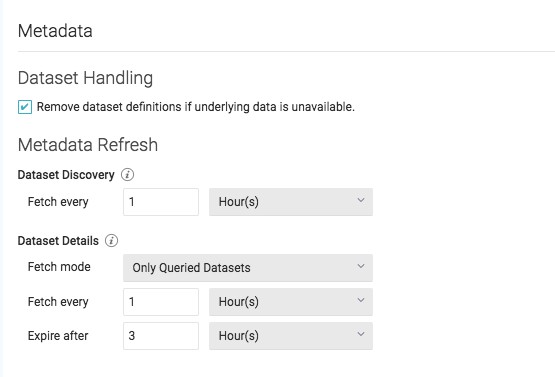
Remove dataset definitions if underlying data is unavailable (Default). If this box is not checked and the underlying files under a folder are removed or the folder/source is not accessible,
Dremio does not remove the dataset definitions.
This option is useful in cases when files are temporarily deleted and put back in place with new sets of files.
Dataset Discovery -- Refresh interval for top-level source object names such as names of DBs and tables.
Fetch every -- Specify fetch time based on minutes, hours, days, or weeks. Default: 1 hour
Dataset Details -- The metadata that Dremio needs for query planning such as information needed for
fields, types, shards, statistics, and locality.
Fetch mode -- Specify either Only Queried Datasets, All Datasets, or As Needed. Default: Only Queried Datasets
Only Queried Datasets -- Dremio updates details for previously queried objects in a source. This mode increases query performance because less work is needed at query time for these datasets.
All Datasets -- Dremio updates details for all datasets in a source.
This mode increases query performance because less work is needed at query time.
As Needed -- Dremio updates details for a dataset at query time.
This mode minimized metadata queries on a source when not used,
but might lead to longer planning times.
Fetch every -- Specify fetch time based on minutes, hours, days, or weeks. Default: 1 hour
Expire after -- Specify expiration time based on minutes, hours, days, or weeks. Default: 3 hours