Quick Tour of Arctic
To access the Arctic catalogs available in your organization, from the Organization page, select See all Arctic Catalogs.
- If Arctic catalogs do not exist in your organization yet, the New Arctic Catalog dialog box will display to enable you to create one. For information about creating a catalog, see Adding an Arctic Catalog.
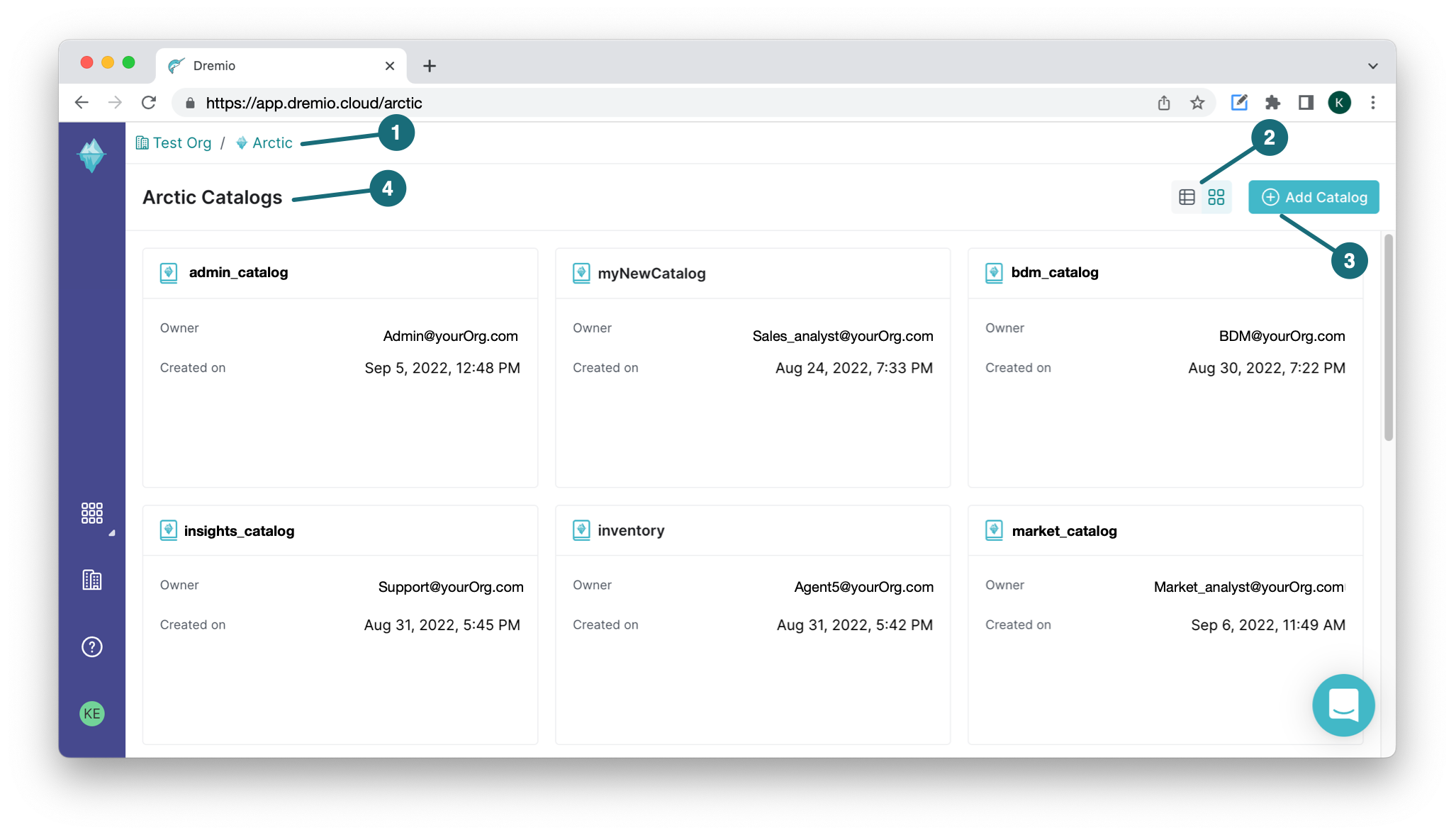
- If Arctic catalogs exist, you will navigate to the Arctic catalog home page as shown in this image:
| Location | Description |
|---|---|
| 1 | Breadcrumb: Navigation aid that provides links to the pages that are in the hierarchy of the current page. The top level page is the organization home page. |
| 2 | Catalog views: Lets you choose how to display all the catalogs in your organization - either list or grid view. |
| 3 | Add Catalog: Enables you to add a new catalog to the organization. |
| 4 | Arctic catalogs: Lists all the catalogs you have access to in the organization. |
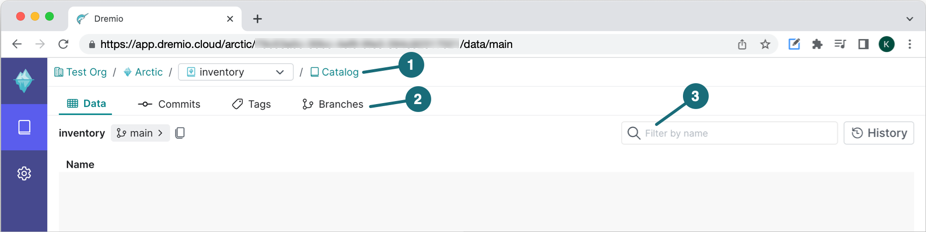
After selecting a catalog, you navigate to its main page, as shown in this image:
| Location | Description |
|---|---|
| 1 | Breadcrumb: If you have more than one catalog in the organization, a drop-down menu will be available to enable you to navigate to another catalog. |
| 2 | Tabs: Catalog information is broken out into the following tabs:
|
| 3 | Search bar: Enables you to filter the resources. |